 ParseForge
FINRA BrokerCheck Scraper
parseforge/finra-brokercheck-scraper
Lead generationAutomationDeveloper tools
Scrape FINRA BrokerCheck for individual brokers and firms. Search by name, CRD, firm, city, state, or exam. Get registration history, disclosures, and exam records. Export to CSV, JSON, Excel, or XML.
- Total users
- 75
- Monthly active
- 4
- Total runs
- 1.4K
- Bookmarked
- 7
- Rating
- 5.0 (3)
- Last modified
- 2 days ago
This scraper was last updated on .
What does the FINRA BrokerCheck Scraper return?

FINRA BrokerCheck Scraper
Scrape FINRA BrokerCheck for individual brokers and firms, with exam filters and location data. Every result includes registration history, disclosures, and exam records. No API key needed. Export to CSV, JSON, Excel, or XML.
FINRA BrokerCheck is the official public database of registered brokers and investment advisors in the US. Its web interface limits you to manual lookups and paginated results. This actor reads the public API directly, letting you search by name, firm, city, state, or exam, and returns each match as a flat row with all available fields.
| Who uses it | What they scrape FINRA BrokerCheck for |
|---|---|
| Compliance officers | Verify the registration status and disciplinary history of brokers they are considering hiring. |
| Financial advisors | Check their own BrokerCheck profile for accuracy and completeness. |
| Background check services | Aggregate broker data for due diligence reports on financial professionals. |
| Researchers | Analyze industry trends by collecting broker demographics, exam pass rates, and firm affiliations. |
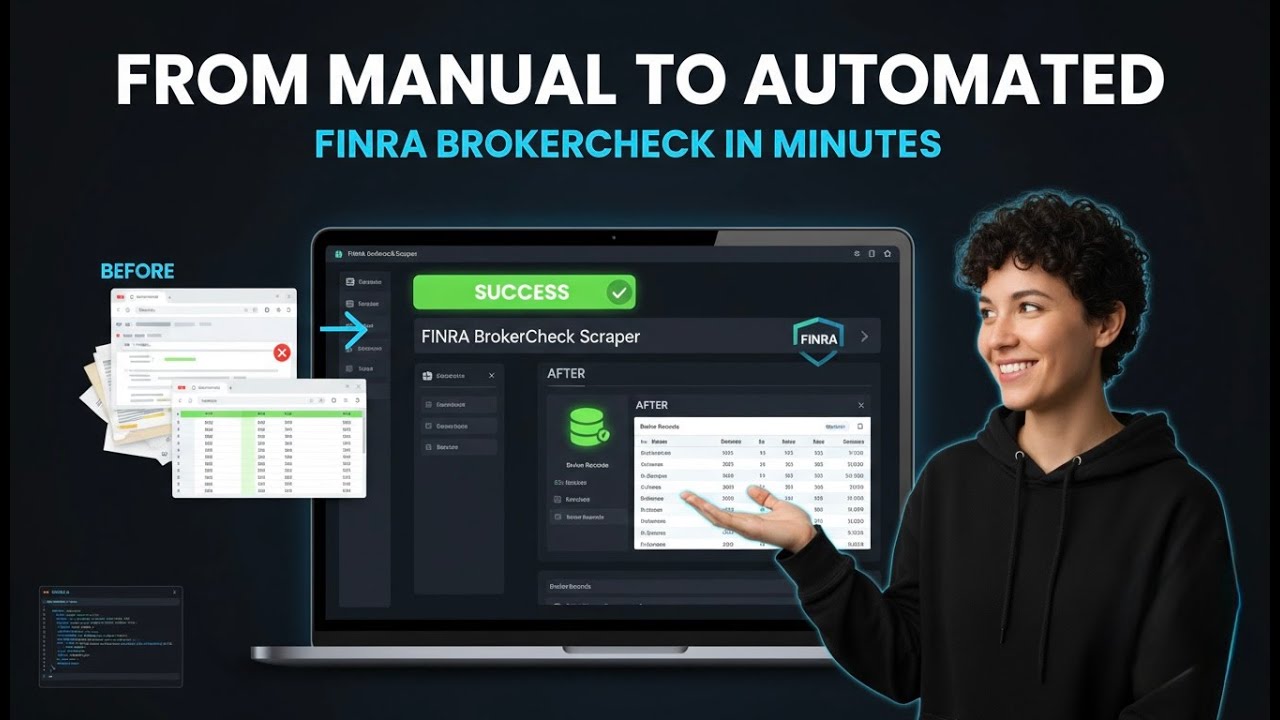
Full Demo
What it does
This actor collects broker and firm records from FINRA BrokerCheck by name, CRD number, firm, location, or exam, and returns each one as a flat row with registration status, employment history, disclosures, and exam details.
- 🔍 Search by name or CRD: Enter a broker's name or CRD number to get their full record.
- 🏢 Filter by firm: Narrow results to brokers at a specific firm (e.g. Morgan Stanley) using firm name or CRD.
- 📍 Location filters: Restrict by city and state to find brokers in a specific area.
- 📋 Exam filters: Return only brokers who have passed specific exams (e.g. Series 7, Series 79) using single or multiple exam names.
Results export to CSV, JSON, Excel, or XML, or straight from the API.
What you can do with FINRA BrokerCheck data
🔍 Verify broker credentials.
A compliance officer searches a candidate's name and firm to confirm their FINRA registration and check for any disclosures before hiring.
📊 Analyze industry exam trends.
A researcher collects brokers who passed Series 79 in New York to study the distribution of investment banking professionals.
🏢 Map firm affiliations.
A background check service queries all brokers at a given firm CRD to build a directory of its registered representatives.
📍 Find local advisors.
An investor searches for brokers in their city and state to identify nearby financial professionals with clean records.
Why choose this scraper
| What you get | |
|---|---|
| Full registration history | Current and past employers, registration dates, and termination details. |
| Disclosures | Customer disputes, regulatory actions, criminal charges, and financial disclosures. |
| Exam records | All passed exams with dates and scores where available. |
| Location data | City, state, and ZIP of the broker's registered office. |
How it compares
No other Store actor targets FINRA BrokerCheck the same way, so the honest comparison is with the alternatives teams actually weigh.
| FINRA BrokerCheck Scraper | Build it in-house | By hand | |
|---|---|---|---|
| Setup | Run it now, zero config | Days of engineering | None, but hours per pull |
| When FINRA BrokerCheck changes | Maintained for you | You fix it | You re-learn the page |
| Proxies, retries, anti-bot | Built in | Your problem | Browser only |
| Output | Fixed JSON schema, CSV/Excel export | Whatever you build | Copy-paste |
| Cost | Pay per result | Engineering time | Analyst hours |
Configure the run
Drive the actor from a search query (name or CRD), optionally combined with firm, location, and exam filters. Filters run as each record is read so only matching brokers reach your dataset. The Input tab lists every parameter.
A first run with the defaults:
{
  "query": "Smith",
  "maxItems": 10
}
A larger pull:
{
  "query": "Smith",
  "maxItems": 200
}
Free users
Free-plan runs return up to 10 results as a preview. Upgrade your Apify plan to collect up to 1,000,000 results per run.
Run it
- Create a free Apify account.
- Open the FINRA BrokerCheck Scraper.
- Set your inputs and any filters, then click Start.
- Export the results as CSV, Excel, JSON, or XML from the Dataset tab.
Run it programmatically through the Apify API (run-sync-get-dataset-items) or the ApifyClient for JavaScript and Python.
Use with AI agents (MCP)
Give an AI agent live access to FINRA BrokerCheck through the Model Context Protocol. Add the Actor to Claude, Cursor, or any MCP client:
claude mcp add --transport http apify "https://mcp.apify.com?tools=parseforge/finra-brokercheck-scraper"
Then prompt it in plain language to run the scraper and read back the results.
Troubleshooting
Why am I getting no results?
Check that your search query is spelled correctly. For individuals, try a partial name or CRD number. For firms, ensure the firm name is accurate. Also verify that your filters (city, state, exam) are not too restrictive.
The exam filter returns no results even though I know the broker passed that exam.
The exam filter matches against the exact exam name or series code. Try using the series code (e.g. '7' instead of 'Series 7') or check FINRA's official exam list for the correct name.
My firm name filter is not working.
The actor looks up the firm's CRD number automatically. If the firm name is ambiguous, provide the firm CRD directly in the firmCrd field. Enable 'Prefer Largest Firm' to pick the main operational entity.
The run is taking too long.
Narrow your search with more specific filters (city, state, exam) or reduce maxItems. The actor fetches all matching records from FINRA before applying filters, so a broad query with many results can be slow.
FAQ
| Question | Answer |
|---|---|
| Do I need a FINRA API key? | No. This actor uses the public BrokerCheck API that FINRA makes available without authentication. |
| Can I search by CRD number? | Yes. Enter the CRD number in the query field for individual or firm search. |
| How do I filter by exam? | Use the examName or examNames fields. You can enter the full exam name or the series code (e.g. 'Series 7' or '7'). |
| Does the actor support ZIP code filtering? | No. FINRA's public API does not support ZIP code filtering. Use city and state instead. |
| What does 'Include Previous Registrations' do? | When enabled, the actor returns brokers who are no longer registered. Disable it to get only currently registered individuals. |
| Can I search for firms? | Yes. Set searchType to 'firm' and enter the firm name or CRD/SEC number. |
| How many results can I get per run? | You can set maxItems up to 1,000,000. The actor will paginate through results until it reaches that limit. |
| What data is included in the output? | Each record includes registration status, employment history, disclosures, exam records, and location details as available from FINRA. |
🆘 Need help? Email parseforge@protonmail.com with your run ID, your input, and what you expected.
⚠️ Disclaimer. This Actor is unofficial and is not affiliated with, endorsed by, or sponsored by FINRA (Financial Industry Regulatory Authority). It collects only publicly available data. You are responsible for using the collected data in compliance with the source's terms of service and applicable data-protection laws, including GDPR, CCPA, and PIPL. Do not use it to collect personal data unlawfully.
What input does the FINRA BrokerCheck Scraper accept?
| Field | Type | What it does | Default |
|---|---|---|---|
| searchType | string (2 options) | Type of search to perform - Individual brokers/advisors or Firms | individual |
| query required | string | Search term for broker/advisor name or firm name. For individuals, you can search by name or CRD number. For firms, you can search by firm name or CRD/SEC number. | Smith |
| includePrevious | boolean | Include brokers/advisors who are no longer registered | true |
| firmName | string | Filter individuals by firm name (e.g. 'Morgan Stanley', 'Goldman Sachs'). The actor automatically looks up the firm's FINRA CRD number and applies the filter, because the public BrokerCheck API only accepts firm CRDs, not firm-name strings. | not set |
| firmCrd | string | Advanced: filter individuals by the firm's exact FINRA CRD number (e.g. '149777' for Morgan Stanley). Skips the firm-name lookup. Leave blank to use Firm Name instead. | not set |
| preferLargestFirm | boolean | When the firm name matches multiple FINRA registrations, pick the broker-dealer with the most registered branch offices (usually the main operational firm) instead of FINRA's default text-relevance top result. Ignored when firmCrd is provided. | true |
| city | string | Filter individuals by city of their registered office (e.g. 'New York', 'Chicago'). Automatically uppercased before querying. Works best when combined with state. | not set |
| state | string | Filter individuals by US state code (2-letter, e.g. 'NY', 'CA'). Automatically uppercased. | not set |
| zipCode | string | The public FINRA BrokerCheck API does not support ZIP-code filtering. This field is accepted for backwards compatibility but is ignored. Use city+state instead. | not set |
| examName | string | Return ONLY individuals who have passed this exam. Enter the full exam name (e.g. 'Investment Banking Registered Representative Examination') OR the FINRA series code (e.g. 'Series 79' or just '79'). Matching is case-insensitive and ignores spacing/punctuation, and it matches both the exam name and its series code. FINRA's API has no server-side exam filter, so the actor fetches candidates from your search (query/firm/state) and keeps only the matching ones: always combine this with a search scope so the run stays fast. Leave blank to disable. | not set |
| examNames | array | Return individuals who have passed ANY of these exams (OR logic). Each entry can be a full exam name or a series code (e.g. ['Series 79', 'Series 7']). Same matching rules as the single Exam Filter. Combined with the single Exam Filter (union) when both are set. Leave empty to disable. | not set |
| maxItems | integer | How many brokers to collect per run. | 10 |
How much does the FINRA BrokerCheck Scraper cost?
from $4.45 per 1,000 results
| Charged for | What it is | Price each |
|---|---|---|
| result-item | Charged when the Actor stores a record | $0.00445 to $0.005 |
| Broker detail enrichment | Full FINRA detail endpoint fetched for one broker: adds employment history, branch addresses (with lat/lng), disclosures, and exam history to the output item. | $0.0445 to $0.05 |
| Actor Start | Charged when the Actor starts running. Number of events charged depends on Actor memory (one event per GB, minimum one event). | $0.00445 to $0.005 |
Tiered: the lower figure is the price on a higher Apify plan. Billing and the free credit live on Apify.
How do I call the FINRA BrokerCheck Scraper API?
One POST returns the dataset directly. Same shape for every scraper in the library, so swapping the slug is the only change.
curl -X POST "https://api.apify.com/v2/acts/parseforge~finra-brokercheck-scraper/run-sync-get-dataset-items?token=$APIFY_TOKEN" \
  -H "Content-Type: application/json" \
  -d '{
    "searchType": "individual",
    "query": "Smith",
    "includePrevious": true,
    "preferLargestFirm": true,
    "maxItems": 10
  }'
What example inputs can I use?
Use these inputs to see how a run is configured.
{
  "searchType": "individual",
  "query": "Smith",
  "includePrevious": true,
  "preferLargestFirm": true,
  "maxItems": 10
}
What do users say about the FINRA BrokerCheck Scraper?
Rated 5.0 out of 5 across 3 reviews. Read them on Apify.
How do I report an issue with the FINRA BrokerCheck Scraper?
We build and maintain this scraper, so a problem with it comes to us. Report it on the Apify listing and the thread stays attached to the scraper where the next person can find it: open an issue.
Broken and urgent, or you would rather not post in public? Write to parseforge@protonmail.com and it reaches the people who wrote it.